
People tell AI things now that they used to tell a notebook, or nobody. A decision they keep going back and forth on. A friendship that’s drifting. What they really think about their job.
That makes the AI more useful. It also makes “where do my words go?” a practical question. With most assistants, the answer is a server. Your message travels out, a model reads it, a reply comes back, and a copy of the conversation may stay behind.
Private intelligence is the idea that it doesn’t have to work that way.
What is private intelligence?
Private intelligence is an approach to personal AI that puts privacy, memory you control, and processing on your own device first. The AI can get to know you over time without sending your personal conversations to outside servers to do it.
In practice, that comes down to four things. The AI adapts to you, not just to everyone. It remembers what matters: the goal you mentioned, the person you keep bringing up, the decision you made last month. It does that reading and remembering on your phone or laptop. And you decide what it keeps.
It’s a description, not a standard. Nobody certifies an app as private intelligence, and any app can use the phrase. So the label matters less than one plain question: where do your words actually go?
Why cloud AI isn’t always private
When you message a cloud assistant, your phone sends the text to the provider’s servers. A large model reads it, along with whatever earlier conversation or saved memory the service attaches, and sends back a reply. What happens to the conversation afterwards depends on the provider and your settings. It may be stored, reviewed, or used to train future models. We went through the actual policies of five big assistants in our review of ChatGPT, Gemini, Claude, Copilot, and Grok.
Encryption doesn’t change this. It protects your message on the way to the server and while it sits in storage. But to answer you, the model has to read the text, and with cloud AI that happens on the server. “Encrypted” tells you how your words travel and where they’re kept. It doesn’t tell you where they’re read.
Memory raises the stakes. Over months, an assistant that remembers you is building a record of your life. With cloud AI, that record lives on someone else’s infrastructure, under their retention rules.
That isn’t an accusation of carelessness. The big providers take security seriously, and plenty of people are fine with their policies. The difference is simpler than that: where the sensitive work happens, and who holds the result.
How on-device private intelligence works
Everything happens on the device: listening, understanding, remembering, and answering.
flowchart LR
  subgraph Device["Your device"]
    V[Your voice or text] --> S[Speech turned into text]
    S --> M[AI model on your phone]
    R[Private memory] -->|Related memories| M
    M -->|What matters| R
    M --> A[Response, spoken or written]
    R --> I[Patterns and insights]
  end
  subgraph Cloud["Cloud AI, for comparison"]
    V2[Your voice or text] -->|Sent over the internet| X[Provider's server]
    X --> A2[Response]
endAI models small enough to run on a phone are now good enough to hold a real conversation. Platform tools like Google’s LiteRT and Apple’s machine learning frameworks exist so that apps can run them locally. You download the model once, and from then on it’s part of the app.
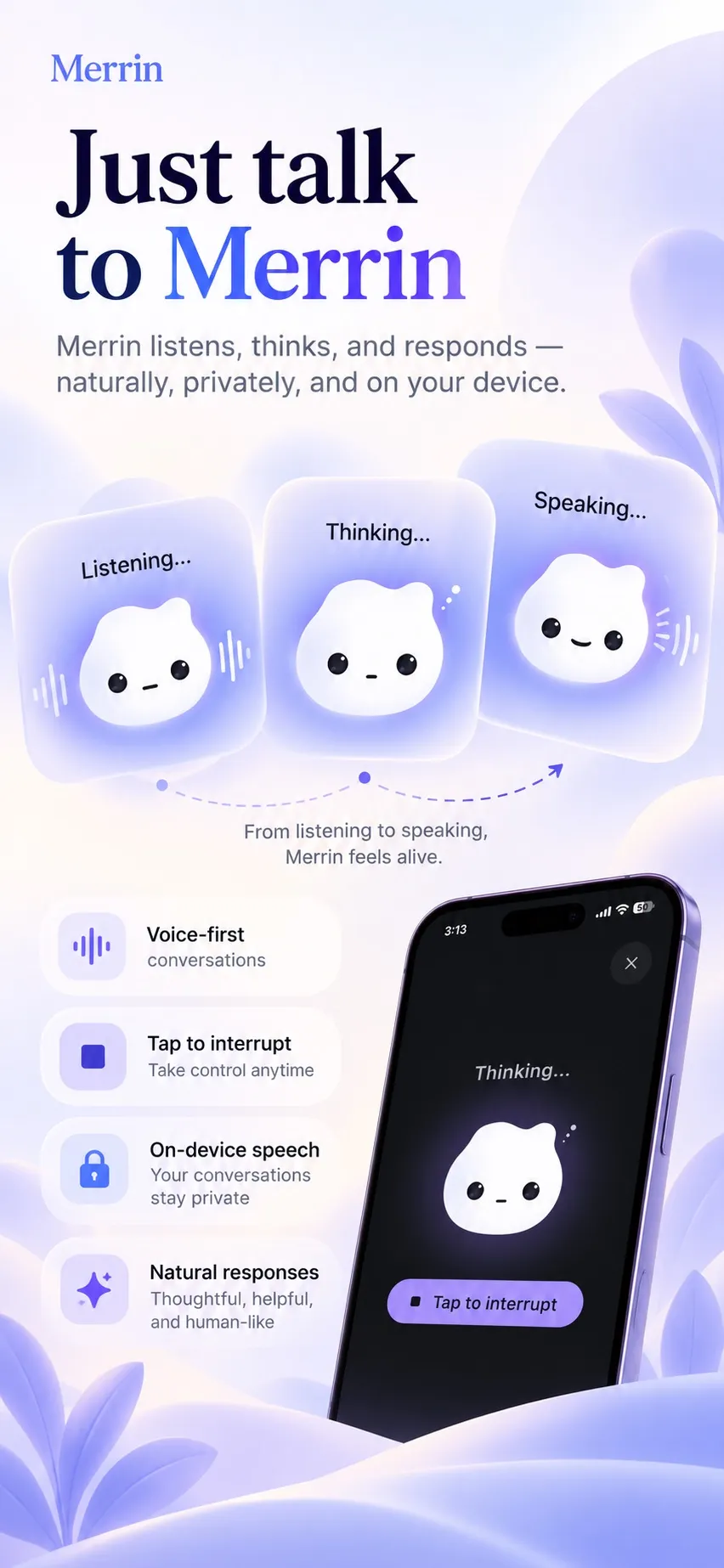
Voice works the same way. What you say is turned into text on the device, the local model replies, and the reply can be read aloud by a voice that also runs locally. Your audio doesn’t need to go anywhere to be understood.
Memory is a private store on the device, plus an index of what each memory is about. That’s how the AI can find the conversation where you weighed a job offer when you later mention “the new job”, even though you used different words.
Once enough memories build up, the same local AI can look across them for patterns: a worry that keeps coming back, or a person you talk about differently than you used to. The history stays on the device, so the analysis does too.
Private intelligence vs cloud AI: what’s the difference?
| Capability | On-device private AI | Cloud AI |
|---|---|---|
| Where the AI runs | Your device | Remote servers |
| Internet requirement | Often optional after setup | Usually required |
| Personal data transmission | Can stay on your device | Requests sent remotely |
| Memory storage | Can be local | Depends on provider |
| Computing power | Limited by your device | Server-scale |
| User control | Depends on the app | Depends on provider |
| Model updates | May require downloads | Managed remotely |
The table hedges on purpose. Running a model locally doesn’t make an app private if it sends your conversations somewhere else anyway. And a cloud service with strict retention rules and tight access controls can protect data well. What decides it is the whole design: which data moves, where it goes, and who can get at it. Our on-device vs cloud AI comparison goes through the trade-offs one at a time.
What it’s good for
The first thing you notice is not having to repeat yourself. Say you mention in March that you want to run a half marathon, and in June you say you’re thinking of skipping training. An AI that remembers can ask what changed, without you explaining the goal all over again.
It’s also a place to think out loud. Some things are easier to say than to write, so you talk a decision through on the walk home and find it later as a journal entry. It’s easier to be honest when you know the conversation stays with you.
Over longer stretches, it can show you things a single entry can’t. That your hardest days follow late nights. That one project comes up every time you feel stuck. That you used to talk about growth, and lately you talk about stability. You lived through those shifts, but seeing them laid out is different.
And it keeps working on a plane, in the countryside, or abroad without data, because nothing it needs is on the other end of a connection.
Merrin: a private intelligence app for iOS and Android
Merrin is our take on this. You talk or type about what’s on your mind, it remembers what matters, and over time it helps you see your own patterns. It runs on supported iOS and Android devices.
Merrin works offline.
Conversation, journaling, search, and memory keep working once the AI models are installed.
Memory you can see
- Wants to run a half marathon this year
- Weighing a new job offer
Edit or delete any of it.
Patterns over time
Sleep came up on 3 different days in the past two weeks.
Conversation on your phone
What did I say about the job offer?
Last month you said the role was exciting, but the commute worried you.
Still needs internet
- Downloading the AI models, once
- Purchases and restoring Pro
- Updates and optional diagnostics
- The AI runs on your phone. Conversations are processed on the device during normal use.
- Talk or type. Both are on the free plan.
- You can see what it remembers, and edit or delete any of it. We wrote about why that matters.
- Conversations become journal entries you can search and come back to.
- Insights into recurring patterns and how your thinking shifts over time.
- Works offline once the AI models are installed: conversation, journaling, search, and memory.
- No account. You can make an encrypted backup on any plan, protected by a recovery key, and delete one item or everything from settings.
Most of this is on the free plan. Pro adds insights into how your thinking shifts, weekly reflections, the Analyst, Future You, and Devil’s Advocate perspectives, and a larger AI model. The pricing section shows what each plan includes. Merrin does use the internet for a few things, like downloading models, purchases, and optional diagnostics, and the privacy policy lists them all.
Talk through what’s on your mind, and let Merrin remember what matters, on your device. See how Merrin handles privacy →
The downsides
A model that fits on a phone is smaller than one in a data center. It’s good at talking about your life, and weaker on general knowledge and long, complicated reasoning.
Your device matters too. Memory, storage, the chip, and the battery all affect how well a local model runs. Older phones may get fewer features or slower replies.
You still need the internet sometimes. The models have to be downloaded first, they take up space, and updates need a connection.
And local doesn’t mean untouchable. Phones get lost, stolen, or compromised. Device backups can copy app data to a cloud service. Optional connected features have their own data flows. The OWASP Mobile Top 10 is a good list of what mobile apps still have to defend against. And if your data lives only on your phone, keeping a backup is up to you.
How to choose a private intelligence app
Ask these before you trust an app with your thoughts:
- Does the AI run on your device, or on a server? The documentation should say plainly.
- Does it still work in airplane mode? You can test this yourself in a minute. If the AI stops, it runs somewhere else.
- Can you see, edit, and delete what it remembers?
- Does it need an account or cloud sync? Neither rules it out, but both mean some data lives off your device.
- Can you export your data and keep it?
Then read the privacy policy. If an app says “100% private” or “nothing ever leaves your device” while its policy mentions downloads, analytics, or online features, believe the policy. If you’re choosing for journaling, our comparison of private AI journaling apps puts five of them through these questions.
The short version
The better an AI knows you, the more useful it is, and the more it matters where that knowledge lives. You don’t have to give up on personal AI to stay in control of it. Pick one that does its reading on your device.
If that’s what you’re looking for, Merrin is free to download on iOS and Android.
Frequently asked questions
What is private intelligence in AI?
Private intelligence is an approach to personal AI that puts privacy, memory you control, and processing on your own device first. The AI can get to know you over time without sending your personal conversations to outside servers to do it. The term is descriptive; there's no formal standard behind it.
Is private intelligence the same as on-device AI?
Not quite. On-device AI is about where the AI runs: your phone or computer instead of a server. Private intelligence starts there and adds a memory of your personal context, plus controls over what's remembered, shared, or deleted.
Can private AI work without internet?
Yes, if the AI runs on your device. You need a connection once, to download the AI models. After that, conversation and memory can work offline. Updates, purchases, and optional online features still use the internet.
Can an on-device AI remember previous conversations?
Yes. A memory system on the device keeps what matters from past conversations and can find related moments by meaning, not just exact words. The AI draws on those memories when it replies. In a well-built app you can see every memory, fix it, or delete it.
Is private AI safer than cloud AI?
It removes some risks, not all of them. If your conversations never sit on a provider's servers, that's one less place they can be stored, reviewed, or breached. But a lost or compromised phone, unprotected backups, and optional connected services are still risks, and a well-run cloud service can be very secure. It depends on what you're protecting against.
What's the best private intelligence app for personal journaling?
If you want to talk through your thoughts and keep that on your phone, Merrin is built for it. Conversations, voice, journal entries, and memory are designed to run on your device, and core features work offline once the AI models are installed. Merrin runs on supported iOS and Android devices. For a wider look, see our comparison of private AI journaling apps.