
A journal holds the things you would not say anywhere else. Adding AI to it means a language model has to read those things to respond. So the useful privacy question is not only whether your entries are encrypted. It is where the AI reads them.
Those are two different protections. Encryption protects a journal while it is stored or synced. On-device AI protects it while it is being processed. Many apps offer the first and not the second. An entry can be end-to-end encrypted in the cloud, then decrypted on your phone and sent to an AI provider the moment you ask for a reflection.
Here is how the five apps compare. One disclosure first: this article is published by the team behind Merrin, so assume we are biased about the conclusion and check the facts. Every claim about the other apps comes from their own pricing pages, privacy policies, help docs, and store listings, re-checked on November 2, 2026, and Merrin’s limits are listed next to its strengths.
We re-checked every app against its own pages.
- Rosebud ended its free plan on September 30, 2026. We still listed a free tier; that’s fixed.
- Day One: since October 23, Daily Chat can search and read your past entries, and Daily Chat is one of the features processed through OpenAI. We’ve also updated the AI feature list and export formats.
- Apple Journal can now suggest writing prompts from your entry with Apple Intelligence, so it’s no longer “suggestions only.” It still has no AI chat.
- Obsidian: no changes.
- New: what the AI costs in each app, in the table below, and a short look at Mindsera, Life Note, and Yaps.
The 5 best private AI journaling apps in 2026
| App | Best for | Built-in AI | Where the AI runs | What the AI costs | Platforms |
|---|---|---|---|---|---|
| Merrin | Private, offline AI conversations | Yes, voice and text | On your device | Free; Pro adds insights, $29.99 a year | iOS, Android |
| Day One | Traditional encrypted journaling | Yes, mostly on the Gold plan | Mixed: some on-device, some on servers | Gold, $74.99 a year | iPhone, iPad, Mac, Apple Watch, Android, Windows, web |
| Rosebud | Guided AI reflection | Yes, core feature | Cloud | Bloom, $12.99 a month or $107.99 a year; no free plan | iOS, Android, web |
| Apple Journal | Simple Apple-native journaling | Suggestions and writing prompts, no AI chat | Suggestions on device; prompts through Apple Intelligence | Free | iPhone, iPad, Mac |
| Obsidian | Local files and extensibility | No, community plugins only | Depends on the plugin | Free; depends on the plugin | iOS, Android, Mac, Windows, Linux |
These apps are not equally private, and they are not all AI journals. Apple Journal and Obsidian have no conversational AI built in. Day One and Rosebud have full AI features, and some or all of them run on servers. Merrin is the only one of the five where talking with an AI about your entries is the main experience and the AI runs on the phone.
What makes an AI journaling app truly private?
On-device AI vs cloud-based AI
With cloud AI, your entry travels to a server, a large model reads it, and the response comes back. The provider’s retention and training policies now apply to your words. With on-device AI, a smaller model on your phone does the reading, and the entry does not need to leave. Cloud models know more about the world. For conversation about your own life, that matters less than you might expect. We covered the trade-offs in our on-device vs cloud AI comparison.
flowchart LR
  E[Your entry] -->|On-device AI| P[AI on your phone]
  E -->|Cloud AI| S[AI provider's server]
  P --> R[Response]
  S --> R
Local storage vs end-to-end encryption
Local storage keeps entries on your device. End-to-end encrypted sync keeps them on a server in a form only your devices can unlock. Both are strong. Neither one covers what happens when an AI feature runs.
Who can access your journal entries?
Ask four questions: does the company hold the key, which AI providers receive your text, how long they keep it, and is it used for training. Good policies answer all four plainly. Our privacy report on 13 AI journaling apps records the answers app by app.
Can you use the app without an internet connection?
Most journals let you write offline. Far fewer let the AI work offline. If the AI stops when you switch on airplane mode, it is running somewhere else.
Talk, reflect, and revisit what matters. Merrin’s conversations and memory run directly on your device, even without internet after setup. See how Merrin handles privacy →
Detailed reviews of the five apps
Each review covers the same points in the same order: privacy, AI, offline use, and price, then pros, limitations, and who the app suits. Prices are in US dollars and were re-checked on November 2, 2026.
Merrin: best for private on-device AI journaling
You talk or type about what’s on your mind, and Merrin asks follow-up questions. It remembers the people, plans, and decisions you mention, and turns conversations into a journal you can search and revisit. Our page on conversational journaling shows each step.
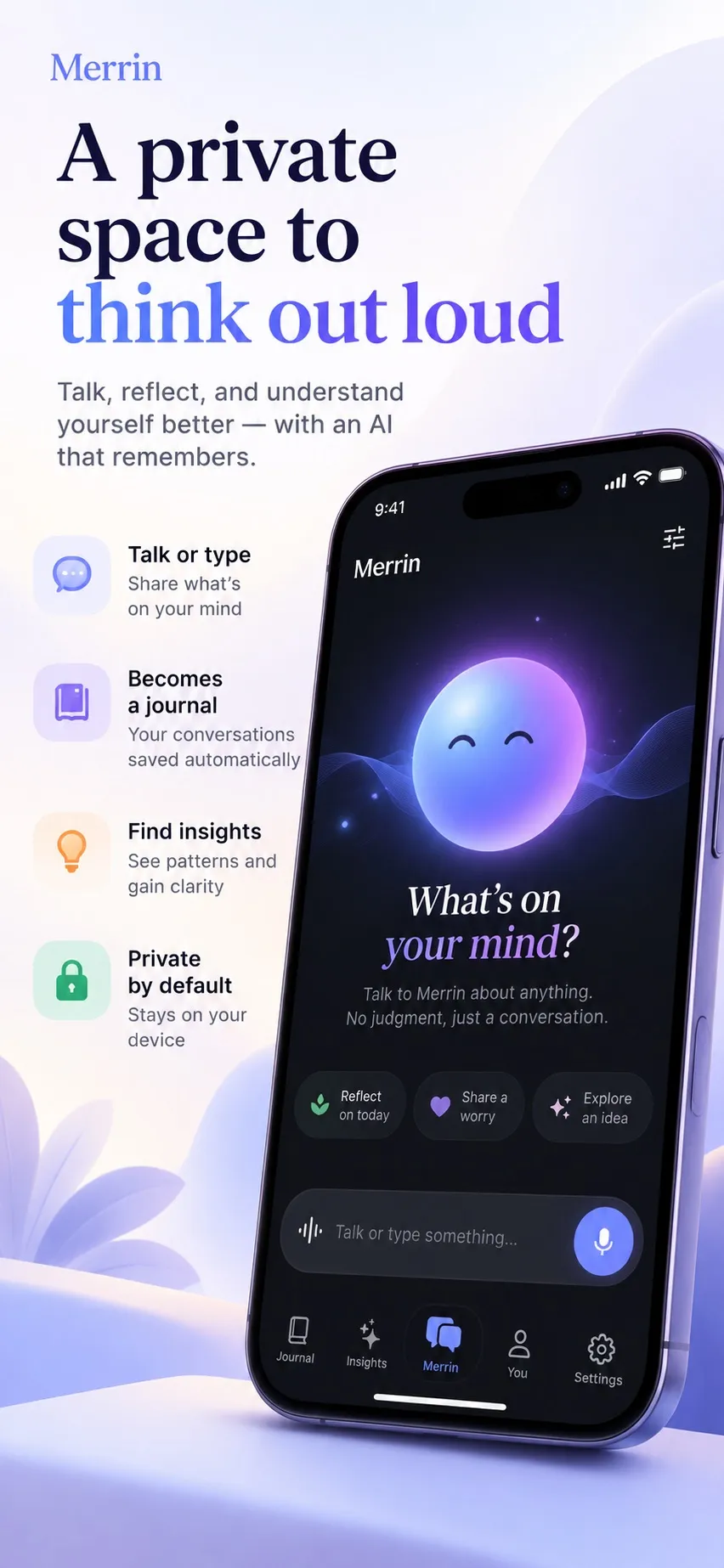
- Privacy: conversations, voice transcripts, journal entries, memories, and insights are designed to stay on your device during normal use. No account is required. The privacy policy lists the limited network use: model downloads, purchases, configuration, and optional diagnostics or services.
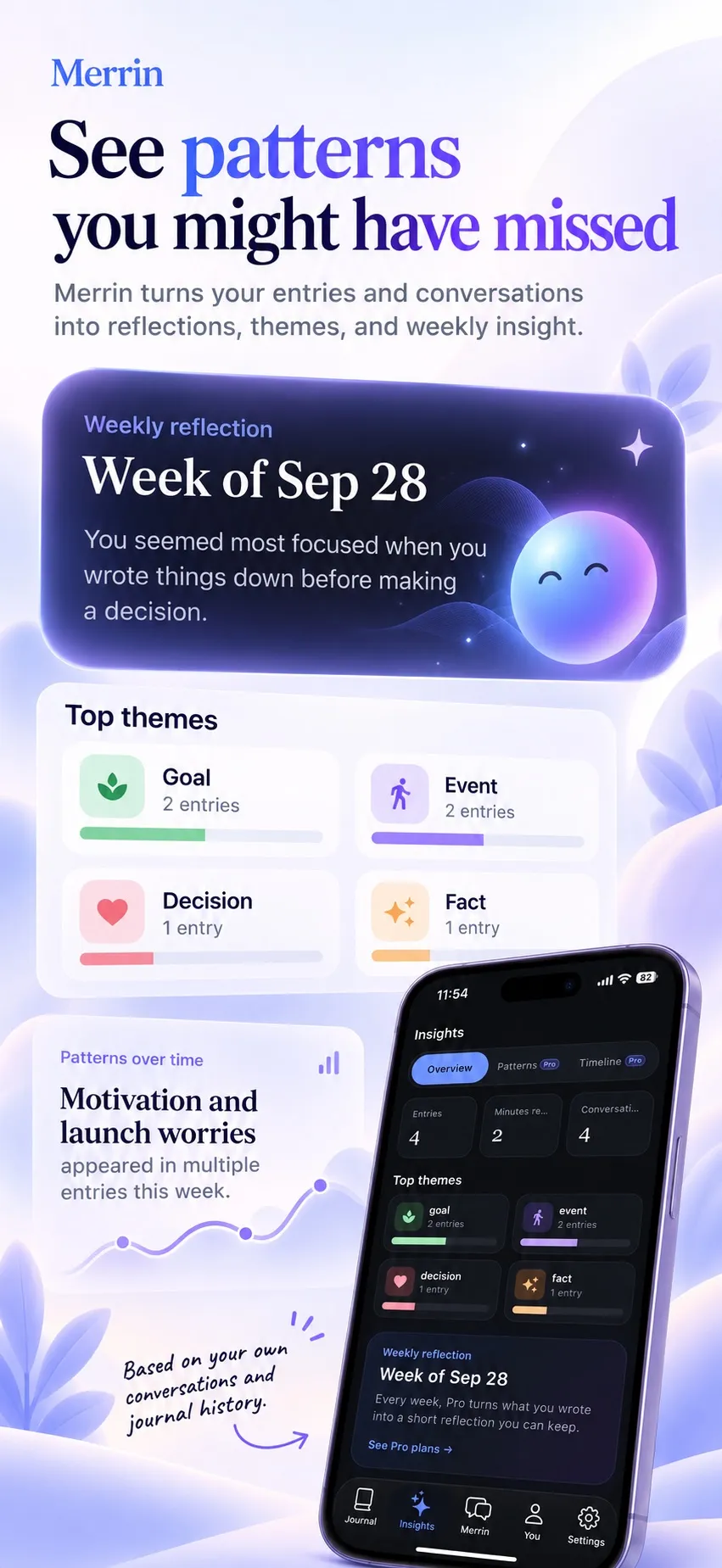
- AI: voice and text conversations are free. Every memory can be viewed, edited, or deleted; we explain why that matters in AI memory you can see and delete. Conversations become journal entries automatically, and search works by meaning. Pro adds insights into what keeps coming back and how your views change, plus weekly reflections.
- Offline: conversation, journaling, search, and memory are designed to work without internet once the required models are installed.
- Price: free plan; Pro is $29.99 a year or $99.99 once.
Pros
- Conversational AI that runs on your phone
- Memory you can see and control
- Encrypted backup and full deletion on every plan, with no account
Limitations
- The first model download needs a connection and uses storage on your phone
- Quality and features vary with device hardware, and phone-sized models are weaker than large cloud models on general knowledge
- No readable export: the encrypted backup restores only in Merrin
Ideal for: people who want to think out loud with an AI and keep what they say on their phone.
Day One: best for traditional encrypted journaling
Day One is a mature, well-designed journal with photos, audio, templates, multiple journals, and apps on almost every platform.
- Privacy: end-to-end encryption is included on every plan, including the free one, and is on by default for new journals. The key is held on your devices, and Day One can store a backup of it in your iCloud account.
- AI: mostly on the Gold plan: Daily Chat, Go Deeper prompts, entry highlights, title suggestions, entry and day summaries, and image generation. Tidying up an audio transcription is also on Silver. Since October 23, Daily Chat can “search, read, and open your past entries.” Day One’s AI features guide says Go Deeper, title suggestions, and entry highlights run on-device through Apple Intelligence on supported Apple devices. Other features, Daily Chat among them, run on Automattic-hosted servers or through OpenAI; for those, the entry is decrypted on your device and sent over an encrypted connection, so it is not end-to-end encrypted while being processed. Day One says it does not keep AI requests after processing or train on entries without permission, and AI can be turned off.
- Offline: writing works offline; the server-based AI features need a connection.
- Price: free Basic plan for one device without AI; Silver with sync is $49.99 a year; Gold with AI is $74.99 a year.
Pros
- Strong encryption by default
- Apps for iPhone, iPad, Mac, Android, Windows, and the web
- Export to JSON, PDF, Markdown, or CSV, depending on the platform
Limitations
- Most AI features require the most expensive plan
- Several AI features are processed on servers
Ideal for: people who want a polished, traditional journal with encrypted sync and optional AI.
Rosebud: best for guided AI reflection
In Rosebud, AI is the product: guided chat-style journaling, voice journaling, memory of past entries, weekly reports, goals, and structured reflection methods.
- Privacy: the privacy policy names OpenAI, Anthropic, Google, AWS, and Groq as AI providers, plus ElevenLabs for voice, and says Rosebud has zero data retention agreements with them. Entries are encrypted in transit and at rest. The policy says user-held encryption “carries a risk of data loss if the encryption key is forgotten or lost,” and Rosebud doesn’t use it, so entries are not end-to-end encrypted.
- AI: all of it runs in the cloud, on large models.
- Offline: the AI needs a connection.
- Price: Rosebud retired its free plan on September 30, 2026. The Bloom plan is $12.99 a month or $107.99 a year, according to its App Store listing.
Pros
- The most developed guided reflection of the five
- Strong cloud models
- iOS, Android, and web
Limitations
- Everything you write is processed by third-party AI providers, under agreements you have to trust
- No end-to-end encryption
Ideal for: people who want structured, guided reflection and are comfortable with cloud processing under clear contracts.
Apple Journal: best for simple journaling on Apple devices
Apple Journal is free and built into iPhone, iPad, and Mac. It suggests moments to write about from your photos, places, and workouts, and supports multiple journals and a map view.
- Privacy: journaling suggestions use on-device processing. Apple lists Journal data as end-to-end encrypted in iCloud, which requires two-factor authentication, and you can lock the app with Face ID, Touch ID, or your passcode.
- AI: suggestions, plus writing prompts with Apple Intelligence (iOS 27 or later on iPhone). Journal can suggest up to three prompts per entry “based on what you’ve written and any photos or drawings you’ve added.” Apple Intelligence runs some requests on the device and sends others to Apple’s Private Cloud Compute servers, and we couldn’t find where Apple says which one handles these prompts. There is no AI conversation or memory.
- Offline: journaling works offline.
- Price: free.
Pros
- Private by default
- Free, with no setup
Limitations
- Apple devices only
- Limited export
- No conversational AI
Ideal for: iPhone users who want a quiet, private diary and do not need AI. On Android, see the closest apps to Apple Journal.
Obsidian: best for users who want control over their files
Obsidian is a note-taking app that stores plain Markdown files in a folder on your device. It is not a journal out of the box, but many people build one in it.
- Privacy: no account is required. Obsidian Sync uses end-to-end encryption by default; local vaults themselves are not encrypted by Obsidian.
- AI: none built in. Community plugins add it, and their privacy depends on how you set them up: some send your notes to cloud providers, while others, such as Local GPT, can use a model running on your own computer through Ollama.
- Offline: fully offline, including AI if you set up a local model.
- Price: free; Sync is $4 a month billed annually, or $5 billed monthly.
Pros
- Your files, readable by any app, forever
- Endless customization
- Apps for iOS, Android, Mac, Windows, and Linux
Limitations
- You assemble the journaling workflow and the AI yourself
- Each plugin's privacy is yours to check
Ideal for: technical users who want full control and enjoy the setup.
Other AI journaling apps: Mindsera, Life Note, and Yaps
These three come up often in searches for the best AI journal app. We haven’t reviewed them as fully as the five above, so here is the privacy picture from each company’s own policy, checked on November 2, 2026.
Mindsera is a cloud AI journal. Its privacy policy lists the OpenAI, Anthropic, and Google AI APIs among the services that receive content, and it’s direct about encryption: “Mindsera does not currently use end-to-end encryption,” because its AI features need its systems and providers to process what you wrote. Entries are encrypted at rest and in transit, and “Your journal content is not used to train or improve AI models.” There’s a free plan; the help center puts paid plans between $10.75 and $14.99 a month.
Life Note lets you journal with AI mentors on iPhone, Android, and the web. Its privacy policy says entries are encrypted before they’re stored on its servers and “decrypted at one point only — when an AI mentor reflects on what you wrote in order to respond.” It doesn’t name the AI provider behind the mentors. Entries are “never used to train AI models.” There’s a free tier, and Premium is $10.99 a month or $99.99 a year.
Yaps is the only one of the three that does its core work on the device, but it isn’t a journal. It’s a toolkit for dictation, transcription, notes, and read-aloud on Mac, Windows, Linux, iPhone, and Android. Its privacy policy says audio, transcripts, and notes “stay on your device while Yaps processes them,” and notes are kept as Markdown files. If you connect an outside AI client, the excerpts you send go to that provider under its own terms. Yaps is free, and Pro is $47.90 a year.
Can an AI journal work completely offline?
An offline journal is not the same as an offline AI journal. Writing offline is easy; nearly every app on this list can do it. For the AI to work offline, every step has to happen on the device: the language model that responds, the speech recognition that turns your voice into text, and the memory system that finds what you said before.
Even then, “completely offline” is rarely the whole story. On-device AI models have to be downloaded once, and purchases, updates, and optional services still use the network. The honest version of the claim is: core features work without internet after setup.
That is how Merrin is built. The AI models are downloaded once. After that, conversation, voice, journaling, search, and memory are designed to run on the phone, with no connection needed. The privacy policy lists the limited cases where Merrin does use the network.
How to choose the right private journaling app
- Choose Merrin if you want to talk through your thoughts with an AI and keep that processing on your phone.
- Choose Day One for traditional journaling, encrypted sync, and organization across devices.
- Choose Rosebud for guided AI reflection, if you’re comfortable with cloud processing under zero retention agreements and paying from day one.
- Choose Apple Journal for a simple, free, private diary on Apple devices.
- Choose Obsidian for full control of your files and a customizable setup.
The privacy trade-offs are real. Apple Journal and Obsidian are private but offer little or no AI out of the box. Day One encrypts strongly but sends some entries to servers for AI. Rosebud is the most AI-forward and fully cloud-based. Merrin aims to combine conversational AI with on-device processing, at the cost of smaller models and a phone that has to hold them.
The bottom line
There is no single best journaling app; there is a best fit for how you think and what you are willing to share. When you compare, look past “encrypted.” Real privacy depends on where your entries are processed, not only on how they are stored. If you want to think out loud with an AI that remembers what matters and keeps your words on your phone, Merrin is free to download, and you can compare the plans on the Merrin pricing section.
Frequently asked questions
What is the most private AI journaling app?
It depends on what you count as AI. For a journal you can talk to, where the AI runs on your phone instead of a server, Merrin is designed for that. Obsidian with a community plugin pointed at a local model can also keep everything on your own hardware, with more setup. Apple Journal is very private but has no conversational AI. Day One and Rosebud send entry text to servers for some or all of their AI features.
Can I use an AI journal without the internet?
Only if the AI runs on your device. Most AI journals send your words to a server, so the AI stops working offline even if you can still write. An on-device AI journal needs internet to download its AI models once, and after that core features can work without a connection. Merrin works this way for conversation, journaling, search, and memory.
Are AI journaling apps safe for personal thoughts?
Read two things before you decide: the privacy policy and the AI features page. Check where AI processing happens, which companies receive your entries, how long they keep them, and whether they are used for training. An app can encrypt stored entries and still send them to an AI provider when you ask for a summary or reflection.
Can AI journaling apps read my private entries?
The AI has to read an entry to respond to it. The question is where that happens. With cloud AI, the text is decrypted on your device and sent to a server for processing; Day One and Rosebud both describe this for their server-based features. With on-device AI, the text is processed on your phone. Either way, the company's own staff access depends on its policies and storage design.
Is there a free private AI journal for iPhone and Android?
Merrin is free to download on iOS and Android, and the free plan includes text and voice conversations, automatic journal entries, memory, and private local storage. Obsidian is free on both platforms, but AI requires a community plugin and some setup. Rosebud retired its free plan on September 30, 2026. Day One's free plan does not include AI, and Apple Journal is iPhone, iPad, and Mac only.
What's the difference between an AI companion and an AI journal?
An AI companion is usually built around ongoing chat and the relationship with the AI itself. An AI journal is built around you: your entries, what you said over time, and what you can learn from it. Merrin is the second kind. Conversation is how you get your thoughts out, memory keeps what matters, and the outcome is a clearer view of your own patterns.