
Apple’s Journal app is a free diary that suggests moments to write about, from your photos, workouts, and places, and keeps what you write private by default. It runs on iPhone, iPad, and Mac. If you’re on Android, or you’ve just switched from an iPhone, you need something else.
We looked at the five Android apps that come closest and compared them on the three things people tend to like about Apple Journal: it’s private by default, it helps you start writing, and it’s free. One disclosure: we make Merrin, one of the five. Claims about the other apps come from their own help pages, privacy policies, and store listings, checked on November 2, 2026, and Merrin’s limits are listed alongside everyone else’s.
Is there an Apple Journal app for Android?
No. Apple’s Journal app runs on iPhone, iPad, and Mac, and syncs between them through iCloud. Apple doesn’t make an Android version, and there’s no web version to sign in to.
The nearest thing is Google’s own Journal app, which only runs on Pixel phones. Everyone else has to choose from third-party apps.
What Apple Journal does that you’ll want on Android
It helps to know what you’re replacing. Apple’s Journaling Suggestions group moments from your workouts, the music and podcasts you played, the people you texted or called, your photos, and places you’ve been, and Apple says that grouping uses “on-device processing.” On recent iPhones, Apple Intelligence can also suggest writing prompts based on what you’ve written. Around that sit a Places view, streaks under Insights, reminders on a schedule you set, and a lock with Face ID, Touch ID, or your passcode. Entries synced through iCloud are end-to-end encrypted.
No Android app does all of that. Each of the five below gives up some of it for something else.
The closest Apple Journal alternatives for Android
| App | Runs on | Prompts and suggestions | AI, and where it runs | Photos and places | Price |
|---|---|---|---|---|---|
| Apple Journal (for reference) | iPhone, iPad, Mac | Suggestions from photos, places, workouts, music; Apple Intelligence writing prompts | Suggestions on the device; prompts through Apple Intelligence | Photos, video, audio; Places view | Free |
| Google Journal | Pixel 8 and later; AI on Pixel 9 and later | Reflect prompts, personalized reflections, Mood ID | Google’s Private AI Compute, on the device and in the cloud | Photos, video; map view | Not listed by Google |
| Journey | Android, iPhone, Mac, Windows, ChromeOS, Linux, web | Templates; Odyssey AI chat | Cloud, off by default | Photos, video, audio; Atlas map | Free; membership $4.17 a month, billed annually |
| Diarium | Android, iPhone, Mac, Windows | Templates, daily reminder | No AI | Photos, video, audio, files; map view | Free; Pro is a one-time purchase |
| Day One | Android, iPhone, Mac, Windows, web | Prompt packs, On This Day; Go Deeper on Gold | Servers or OpenAI, on the Gold plan | Photos (one per entry on the free plan) | Free on one device; AI with Gold, $74.99 a year |
| Merrin | Android 11 or later, iPhone | Question-of-the-day widget, check-in reminder, Reflect on this | On your phone | No | Free; Pro $29.99 a year |
Only Google’s app suggests entries from your phone’s own data the way Apple’s does, and it needs a Pixel. On AI, the five split cleanly: Diarium has none, Journey and Day One send AI requests to servers, Google uses its Private AI Compute on the device and in the cloud, and Merrin runs its AI on the phone.
Android journal apps compared
Google’s Journal app for Pixel: the closest match
Google’s Journal app, often called Pixel Journal, is the most direct Android answer to Apple’s. You write entries with photos and video, tap Reflect for writing prompts, and get a short personalized reflection on any entry of five words or more. Mood ID picks an emoji for each entry, an Insights page shows writing streaks and mood trends, and there’s a map view.
The catch is hardware. Google says the app “works on Pixel 8 and later phones, including Fold.” Its AI features need a Pixel 9 or later, and “aren’t available on Pixel 9a and Pixel 10a phones.” They work in English, German, and Japanese.
On privacy, Google says entries are “private by default,” that the app “doesn’t use your personal journal content to train generative AI models,” and that Google doesn’t use entries “to target ads to you.” The AI isn’t only on the phone, though. Google processes writing inspiration and insights with its Private AI Compute, “in a private, dedicated space on your device and in the cloud.” You can back up entries to your Google account. And if you dictate with Gboard’s microphone, Google notes your words “may be processed by Gboard on Google’s servers” depending on your settings.
Pros
- The closest thing to Apple Journal: prompts, mood, insights, photos, and a map
- Google says entries aren't used to train AI or target ads
Limitations
- Pixel 8 and later only, and the AI needs a Pixel 9 or later
- AI processing runs partly in Google's cloud
- AI features only in English, German, and Japanese
Best for: Pixel owners who want the closest thing to Apple Journal.
Journey: the most features on any Android phone
Journey runs on Android, iPhone, Mac, Windows, ChromeOS, Linux, and the web, which helps if you’ve left the iPhone but kept a Mac. Entries can hold photos, video, and audio. Atlas tags your locations and puts entries on a map, mood tracking follows how you feel across entries, and you can lock the app with Android biometrics.
Journey’s AI, Odyssey, is a chatbot that answers questions about your journal, such as how your mood has changed or what happened on a trip. It’s off by default. Journey’s help center says it’s powered by a GPT model, without naming the company that runs it, and that it isn’t available with Journey’s encrypted cloud sync, Google Drive sync, or self-hosted sync. So you can have Odyssey or end-to-end encryption, not both. Journey’s privacy policy, last updated May 13, 2024, says: “We do not employ users’ personal data for training language model.”
The free version has no time limit. A membership, $4.17 a month billed annually, adds sync across platforms, end-to-end encryption, custom templates, and more storage.
Pros
- Photos, video, audio, and a map of your entries
- Runs on almost every platform, including the web
- AI stays off unless you turn it on
Limitations
- End-to-end encryption needs a paid membership
- Odyssey AI runs in the cloud and doesn't work with encrypted sync
Best for: people who want Apple Journal’s photos and places on any Android phone.
Diarium: a private Android diary with no AI
Diarium is a traditional diary for Android, iPhone, Mac, and Windows. Entries can include photos, video, audio, and files. A map view shows where you’ve been, tags can track mood or anything else, and a daily reminder arrives at the time you pick. It can also add context such as weather, calendar events, and fitness data.
There’s no AI and no account. Diarium says your entries “can stay on your device, sync optionally through your own cloud storage,” such as Google Drive, OneDrive, or Dropbox; sync is part of Pro. You can lock it with a password, PIN, or biometrics, and export to PDF, Word, plain text, HTML, or JSON. Diarium doesn’t say whether entries are encrypted on the phone, so don’t assume they are.
Diarium is free to use. Pro is a one-time purchase per platform, with no subscription, and the price is shown in the app rather than on the website.
Pros
- No AI, and no account
- Syncs through your own cloud storage, not Diarium's
- Pay once, and the widest choice of export formats here
Limitations
- No suggestions drawn from your day
- Encryption isn't documented
- Sync needs Pro, bought separately on each platform
Best for: people who liked Apple Journal’s privacy and don’t want AI anywhere near their diary.
Day One: the most established journal on Android
Day One’s Android app has photos, templates, prompt packs, On This Day, and a passcode or fingerprint lock. End-to-end encryption is included on every plan, and the free Basic plan works on one device, with one photo per entry.
Most of the AI is on the Gold plan: Daily Chat, Go Deeper prompts, entry highlights, title suggestions, and summaries, all listed for Android. On Apple devices, some of these run on the phone through Apple Intelligence. Day One doesn’t say how they run on Android, where Apple Intelligence isn’t available. Its other AI features run on Automattic’s servers or through OpenAI, with the entry decrypted on your phone first. Day One says it doesn’t keep AI requests after processing or train on entries without permission. Our journaling apps comparison covers its AI in more detail.
Basic is free on one device. Silver, with sync, is $49.99 a year, and Gold, with AI, is $74.99 a year.
Pros
- End-to-end encryption on every plan
- Android, iPhone, Mac, Windows, and web
- Templates, prompt packs, and On This Day
Limitations
- The free plan is limited to one device
- AI needs Gold, and most of it runs on servers
Best for: people who want a polished traditional journal that also works on their other devices.
Merrin: a journal you keep by talking, with the AI on your phone
Merrin works differently from the rest. Instead of opening a blank entry, you talk or type about what’s on your mind, and Merrin asks follow-up questions. Each conversation is saved as a journal entry with a title, the transcript, and topic tags. Small talk isn’t saved, and neither are Incognito chats. You can also start an entry yourself with Speak or Write. Our page on conversational journaling walks through it.
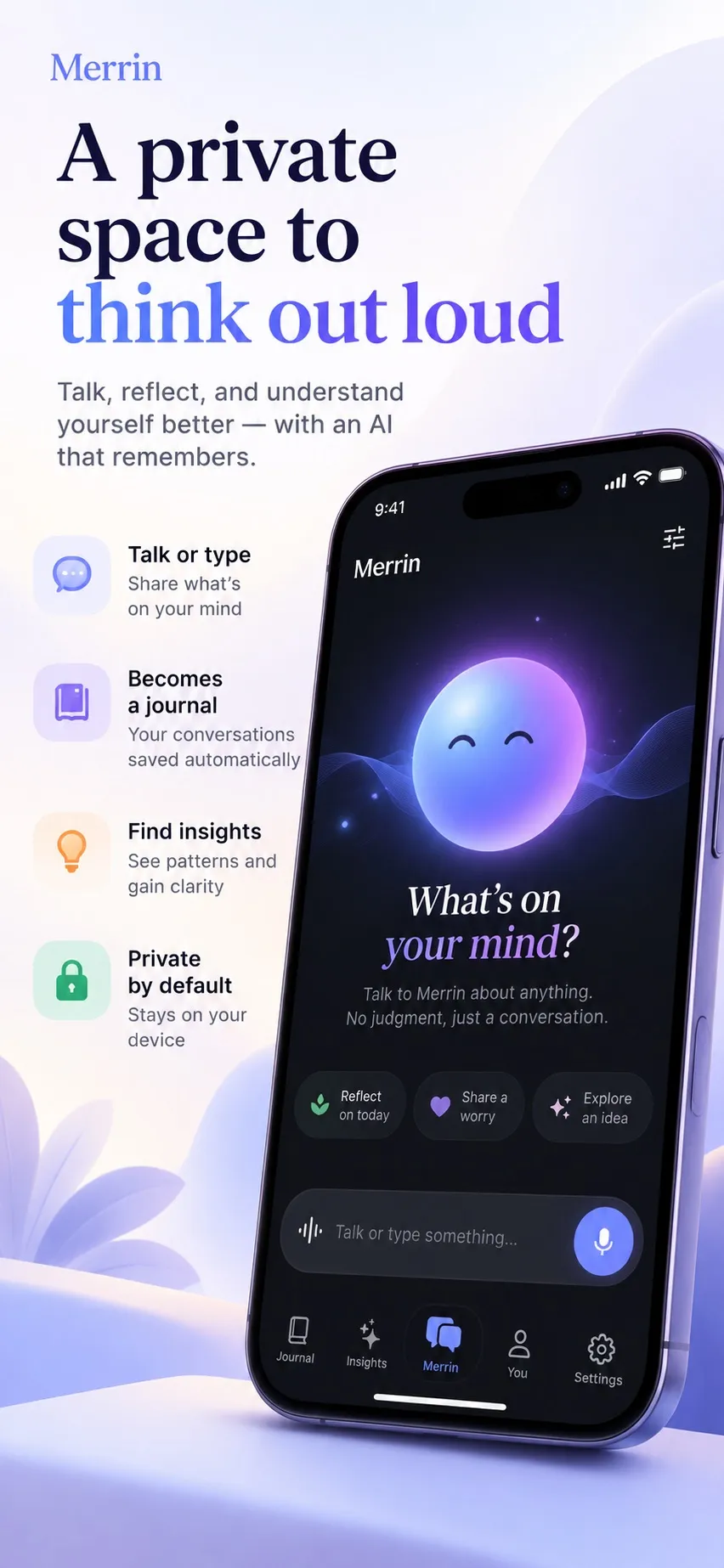
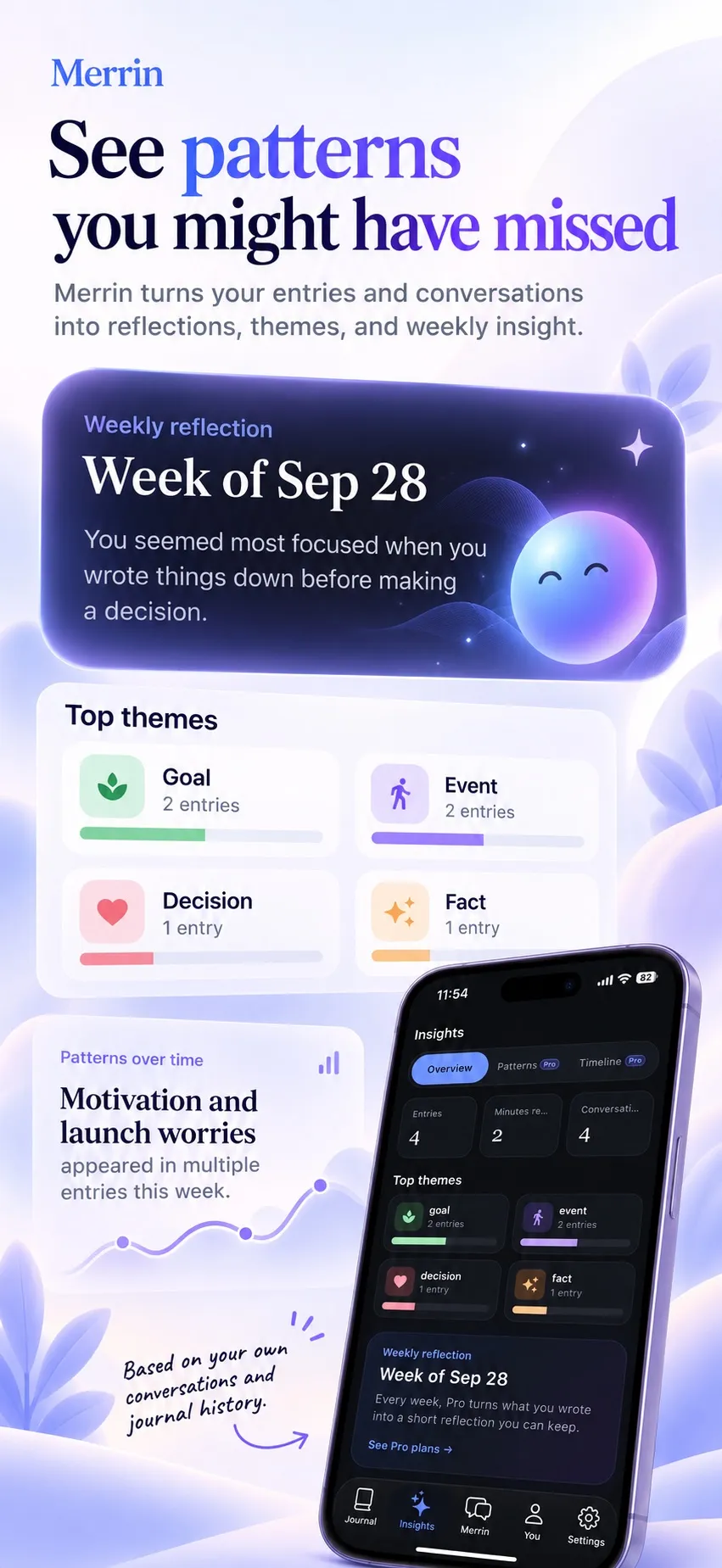
For a starting point, there’s a “One question for today” home-screen widget with a question matched to themes from your own entries, an optional daily check-in reminder at a time you choose, and “Reflect on this” on any entry. None of these read your photos, location, or health data, and the app doesn’t ask for access to them. Three more widgets let you start a conversation, pick up an unfinished one, or bring back an older entry, and they show titles only unless you choose otherwise. To find an old entry, Look Back searches your entries, memories, and threads by meaning once you’ve set up memory search (a small extra download), so you can describe what you remember instead of matching exact words.
The AI runs on the phone, and there’s no account. Entries are kept in an encrypted database, with the key in Android’s keystore. Merrin opts out of Android’s cloud backup, so your journal isn’t copied to your Google account. You save an encrypted backup file wherever you like and restore it with a recovery key. The app lock, with a PIN, password, or biometrics, is in Settings and stays off until you turn it on. The privacy policy lists the few network calls, such as model downloads and purchases.
One Android detail: when you dictate an entry with Speak, Merrin asks Android for on-device speech recognition. On phones that don’t offer it, including every phone on Android 11, Android’s default recognizer takes over, and depending on the phone it may process audio on its provider’s servers. Voice conversations normally use Merrin’s own speech model on the phone.
Merrin needs Android 11 or later, a 64-bit phone with at least 4 GB of RAM, and room for its AI model; the default download is about 2.4 GB. The free plan includes journaling, voice, memory, search by meaning, widgets, and the app lock. Pro, at $29.99 a year or $99.99 once, adds more perspectives, deeper insights into how your views change, and a larger model.
Pros
- The AI runs on your phone, with no account
- Conversations become journal entries on their own
- Search by meaning, widgets, and app lock on the free plan
Limitations
- No photos, audio, or places in entries, and no map
- One journal, and an entry can be edited only on the day you wrote it
- Needs 4 GB of RAM and a 2.4 GB model download; phone-sized models know less than cloud models
Best for: people who’d rather talk than write, and want the AI on their phone.
Which Android journal app is the most private?
That depends on which risk you’re thinking of.
- No AI reading your entries at all: Diarium. No AI, no account, and entries stay on your phone unless you sync them through your own cloud storage.
- AI, but not on someone else’s server: Merrin, which runs its AI on the phone and keeps your journal out of Android’s cloud backup. Note the dictation detail above if your phone is on Android 11.
- End-to-end encrypted sync across devices: Day One includes it on every plan. Journey includes it with a membership, at the cost of Odyssey AI.
- Google’s Journal app sits in between. Google says it doesn’t train AI on your entries or use them to target ads, but its AI runs partly in Google’s cloud, and backups go to your Google account if you turn them on.
For how cloud AI services handle personal writing more generally, our policy review of ChatGPT, Gemini, Claude, Copilot, and Grok covers training, retention, and ads.
Which Apple Journal alternative should you pick?
- You have a Pixel 9 or later: start with Google’s Journal app. It’s the closest thing to Apple’s.
- You want photos, places, and mood on any Android phone: Journey.
- You want a private diary with no AI: Diarium.
- You also write on a Mac or Windows PC and want one journal everywhere: Day One or Journey.
- You’d rather talk than write, with the AI on your phone: Merrin.
Frequently asked questions
Is Apple Journal available on Android?
No. Apple's Journal app runs on iPhone, iPad, and Mac, and syncs between them through iCloud. Apple doesn't list an Android or web version.
What is the Android version of Apple Journal?
The closest is Google's own Journal app for Pixel phones, which has writing prompts, mood tracking, insights, photos, and a map view. It works on Pixel 8 and later. On other Android phones, Journey, Diarium, Day One, and Merrin are the nearest options, each with different trade-offs on AI and privacy.
Can I use Google's Journal app on a Samsung phone?
Google's help page lists Pixel 8 and later phones, including Fold, and doesn't mention other brands. If you don't have a Pixel, pick one of the other apps in this comparison.
Which Android journal app keeps my entries on my phone?
Diarium keeps entries on your phone unless you turn on sync through your own cloud storage, and it has no AI. Merrin keeps entries on your phone, runs its AI there, and opts out of Android's cloud backup; you make your own encrypted backup file instead. Day One's free plan works on one device. Google's Journal app can back up to your Google account if you choose.
Is there a free journal app like Apple Journal for Android?
Yes. Journey and Diarium are free to use, Day One's Basic plan is free on one device, and Merrin's free plan includes journaling, voice, memory, search by meaning, widgets, and an app lock. Google doesn't list a price for its Journal app.
Do these apps use my journal to train AI?
Google says its Journal app doesn't use your journal content to train generative AI models. Journey says it doesn't use personal data to train language models. Day One says it doesn't train on entries without your permission. Diarium has no AI features. Merrin's AI runs on your phone, and your entries aren't sent to a server.